Voiding an item is easy and should be done if the mistake is made before the item was made.
Let's get started!
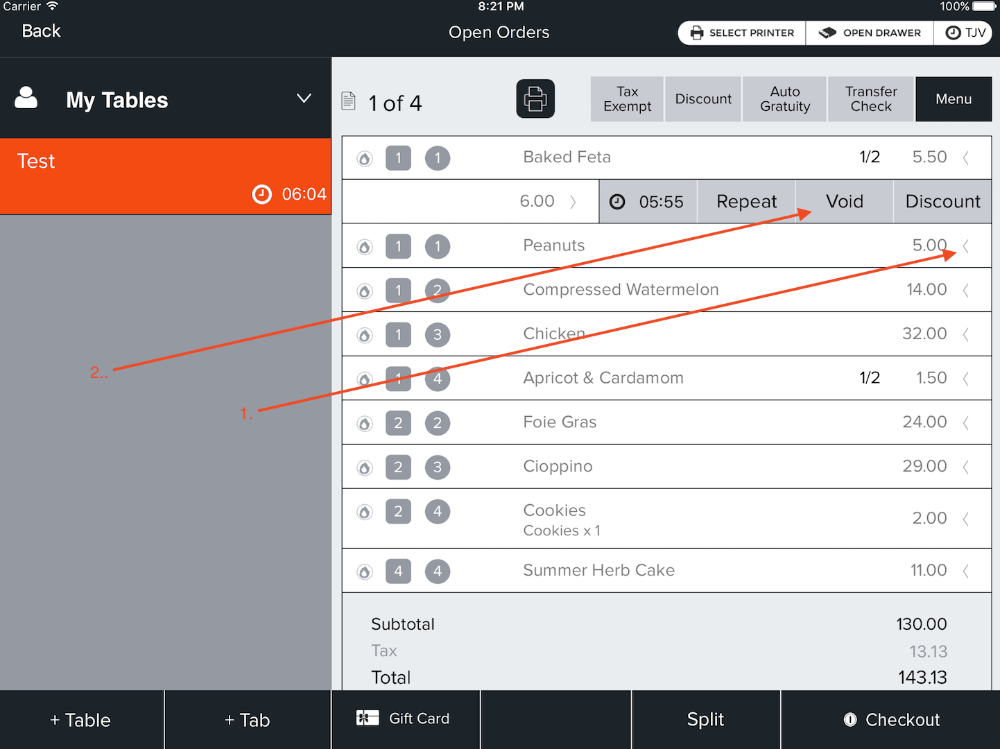
- Once the Item Bar is open you will see Void. Choose this option to Void your item.
- NOTE: You can Unvoid the item be repeating the steps but choosing Unvoid. There is an example below.
Was this article helpful?
That’s Great!
Thank you for your feedback
Sorry! We couldn't be helpful
Thank you for your feedback
Feedback sent
We appreciate your effort and will try to fix the article