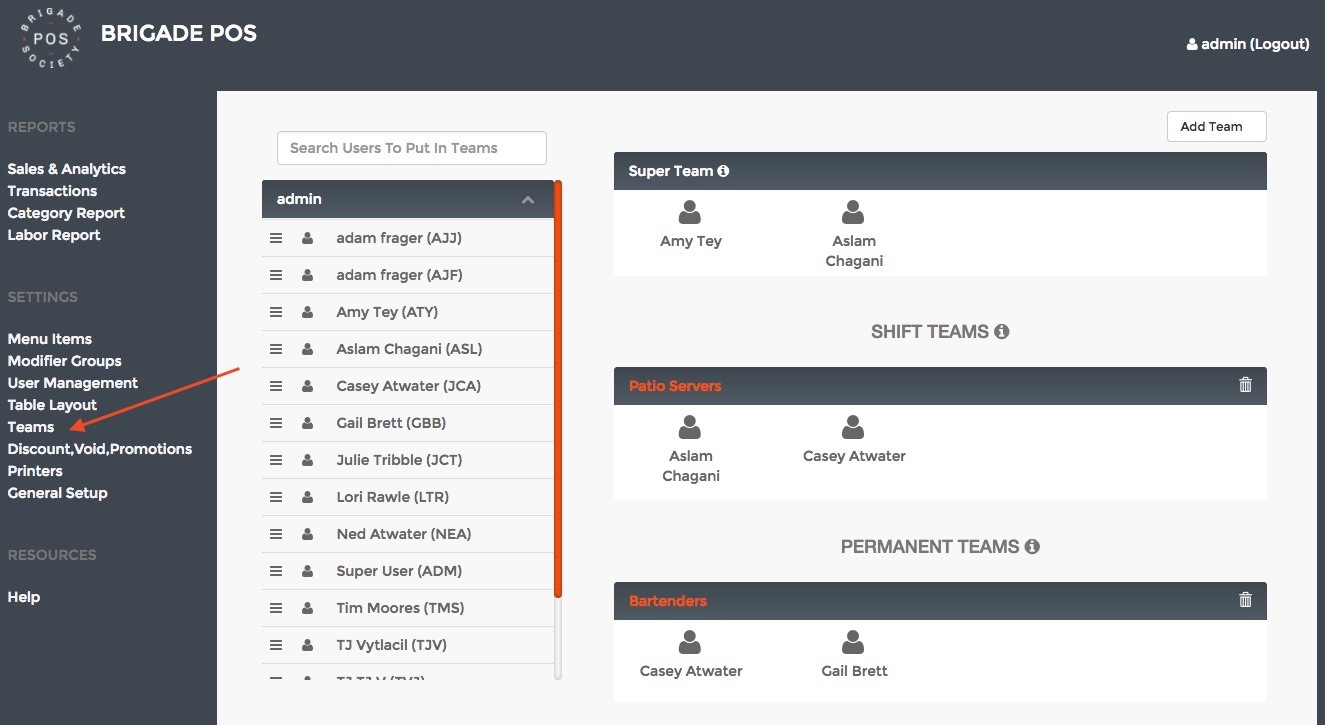
The concept of Teams is a system to access other servers/bartenders Tabs/Checks with accountability. There are a few concepts in Teams that we will go over in this article.
Let's get started!
Setting Up Teams
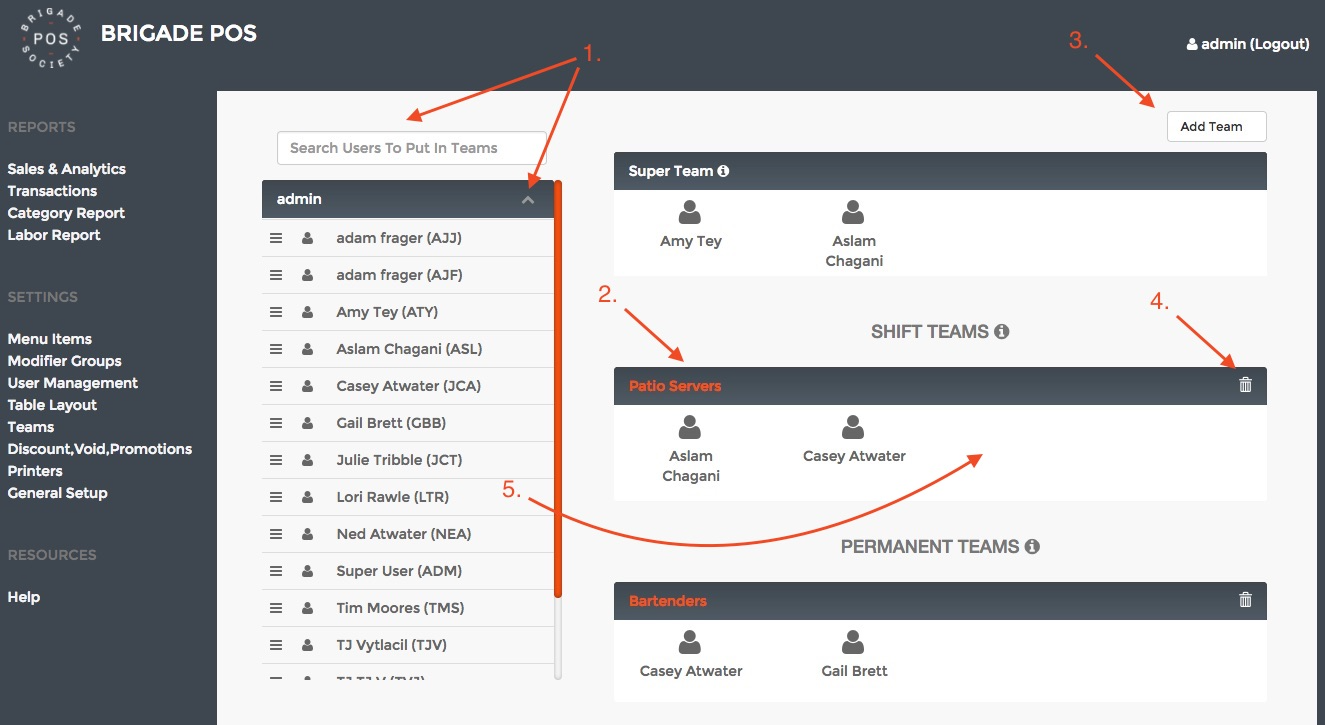
- The Users box on the left is where you will find the Users you want to be apart of a Team. Simply search for the name or expand the Role boxes to find the User you are looking for. Once you do, simply drag that User over to the Team box that you want them in. You can delete a User from the Team's boxes by hovering over the User and clicking the x.
- Here you can set the Name for the Team that will show up on the iPad.
- Here is where you can Add a new Permanent Team or a Shift Team.
- Here is where you can delete a Team.
- Just drag and drop from the left to the right!
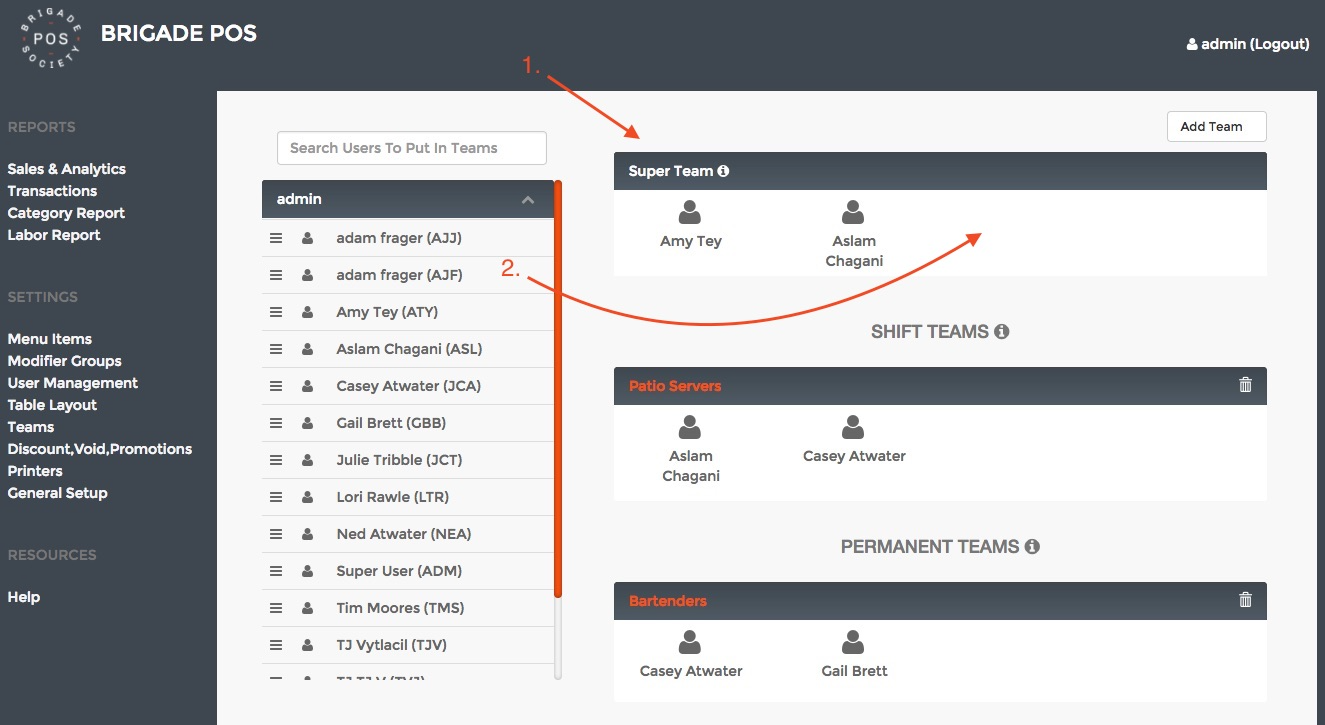
Super Team
Shift Team
- NOTE: Shift Team deletes at restaurant close which is set in Restaurant Settings
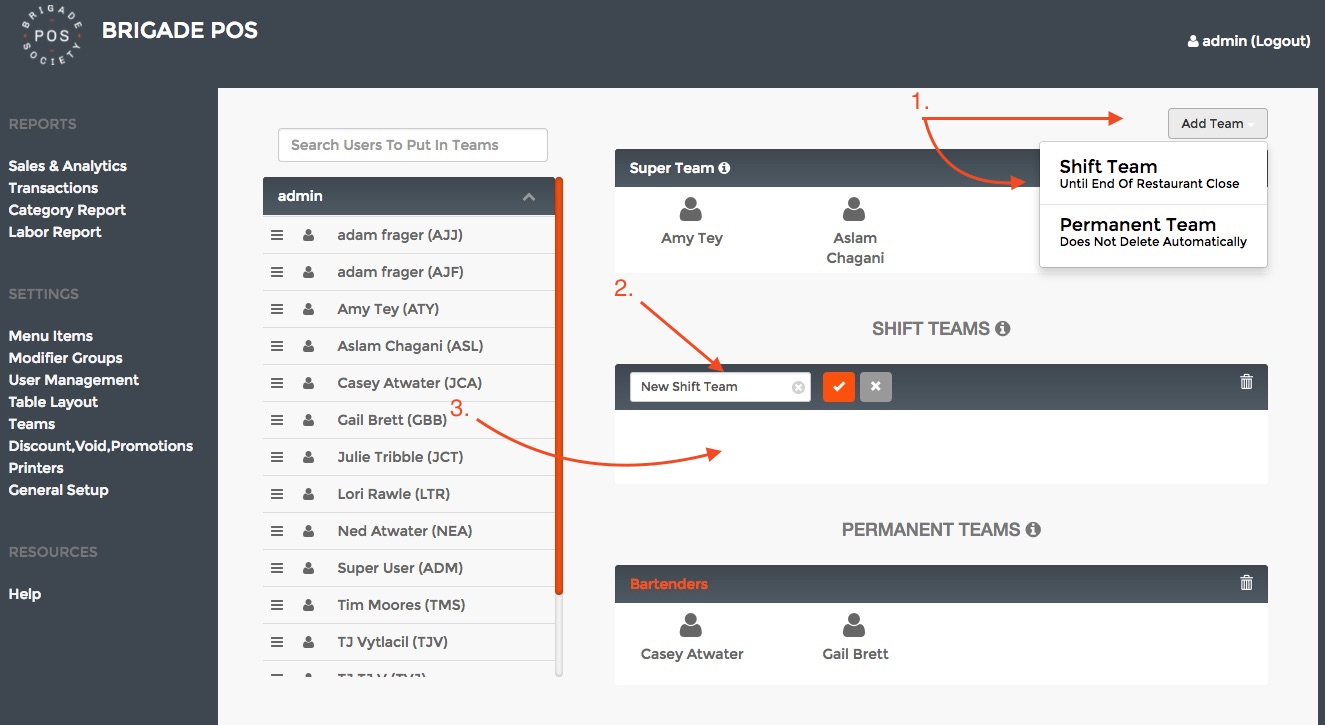
Permanent Team
Was this article helpful?
That’s Great!
Thank you for your feedback
Sorry! We couldn't be helpful
Thank you for your feedback
Feedback sent
We appreciate your effort and will try to fix the article